Plugins
Payments: IAP & Subscriptions
@nativescript/payments
In-app purchases and subscriptions for NativeScript apps, backed by StoreKit 2 on iOS and the Google Play Billing Library 8 on Android.
Upgrading from 3.x?
Version 4 replaced the RxJS event stream (paymentEvents, init(), fetchItems(), buyItem(), finalizeOrder()) with a Payment class that uses promises and two callbacks. See Migrating from 3.x.
Payments on iOS
| Item list | Confirmation | Done | Success |
|---|---|---|---|
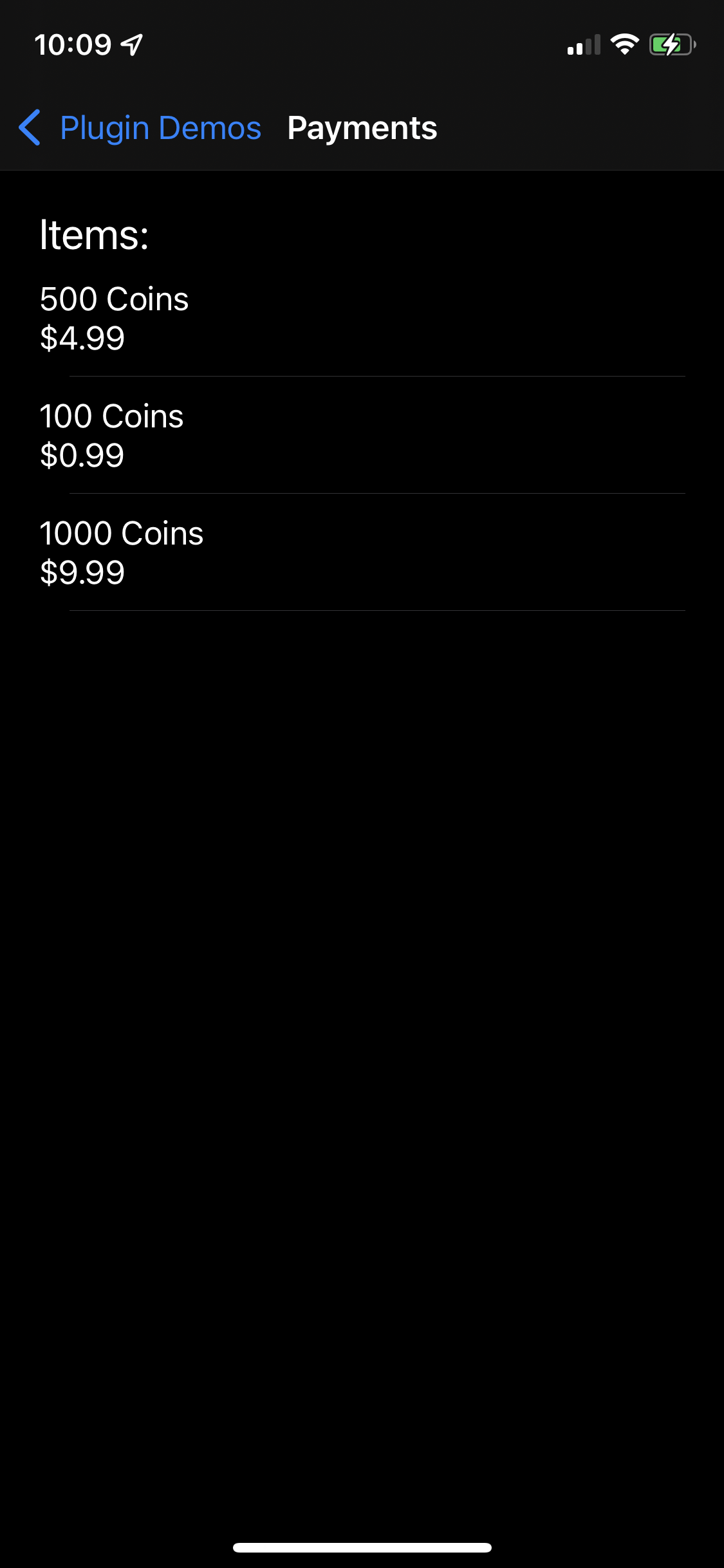 | 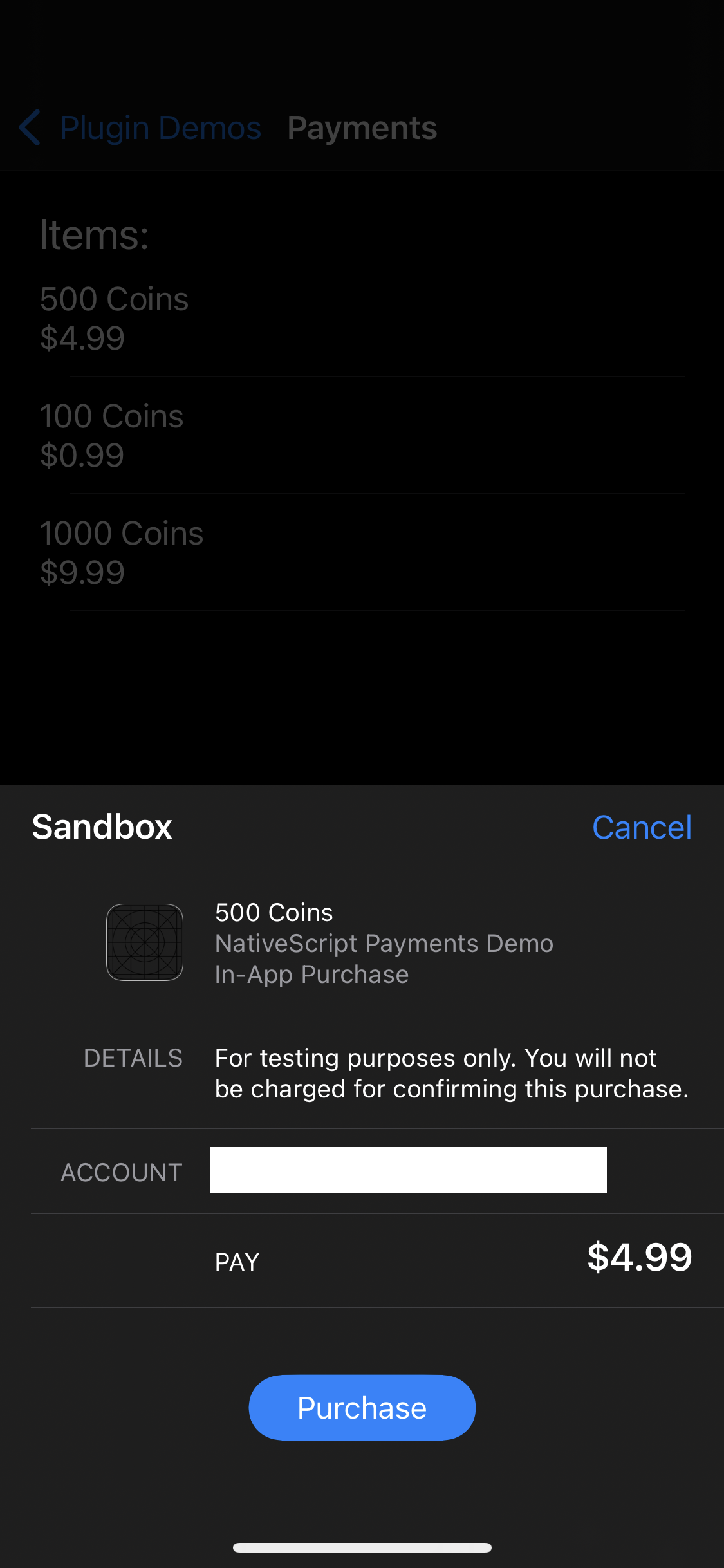 | 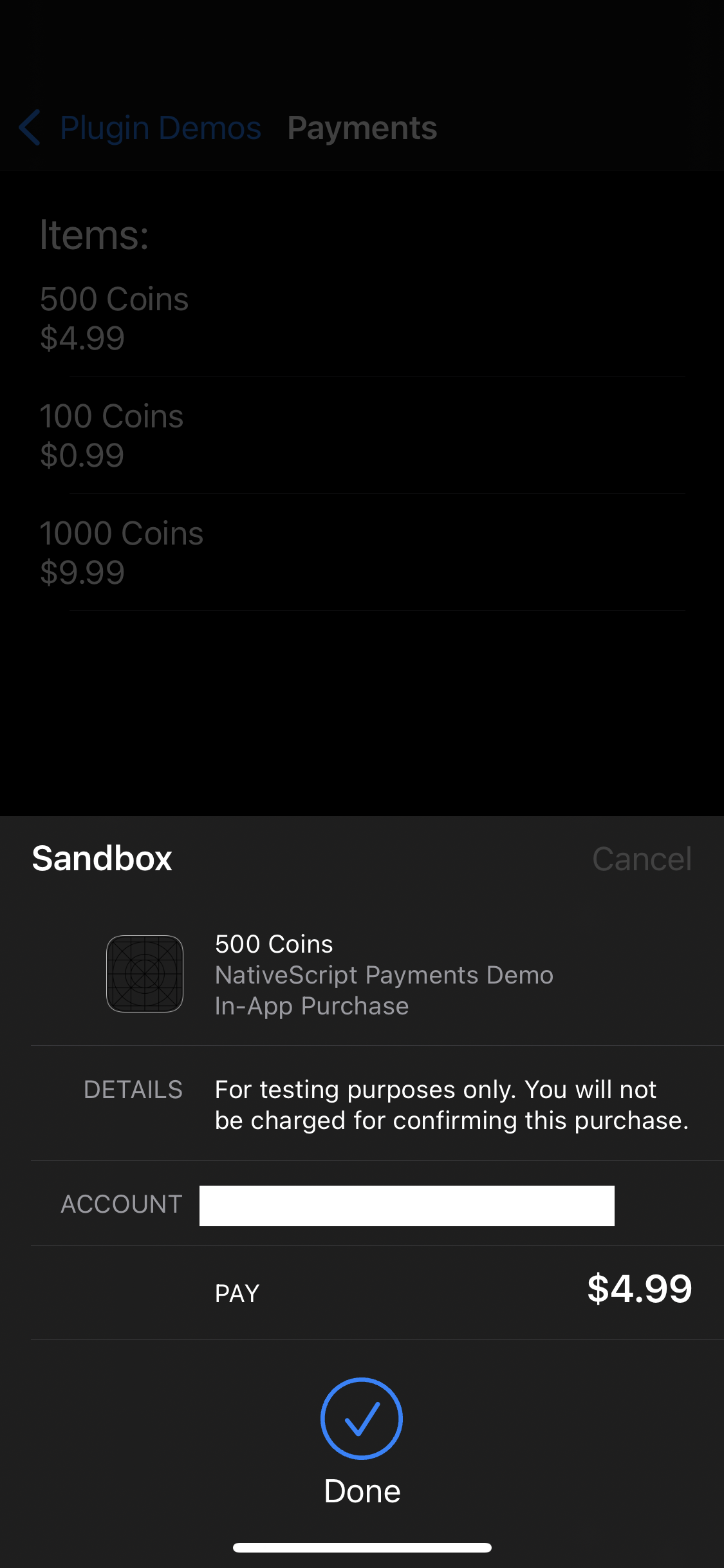 | 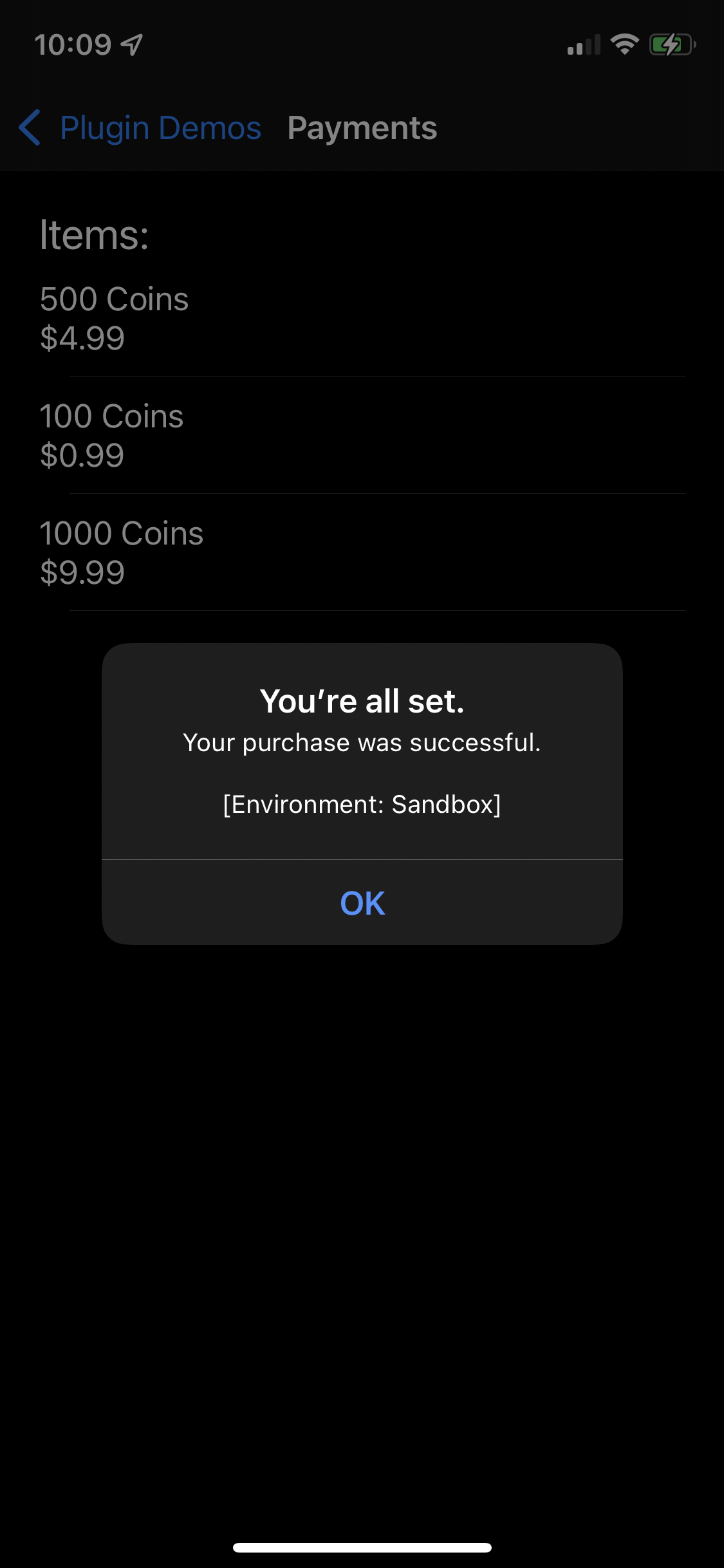 |
Payments on Android
| Item list | Confirmation | Success |
|---|---|---|
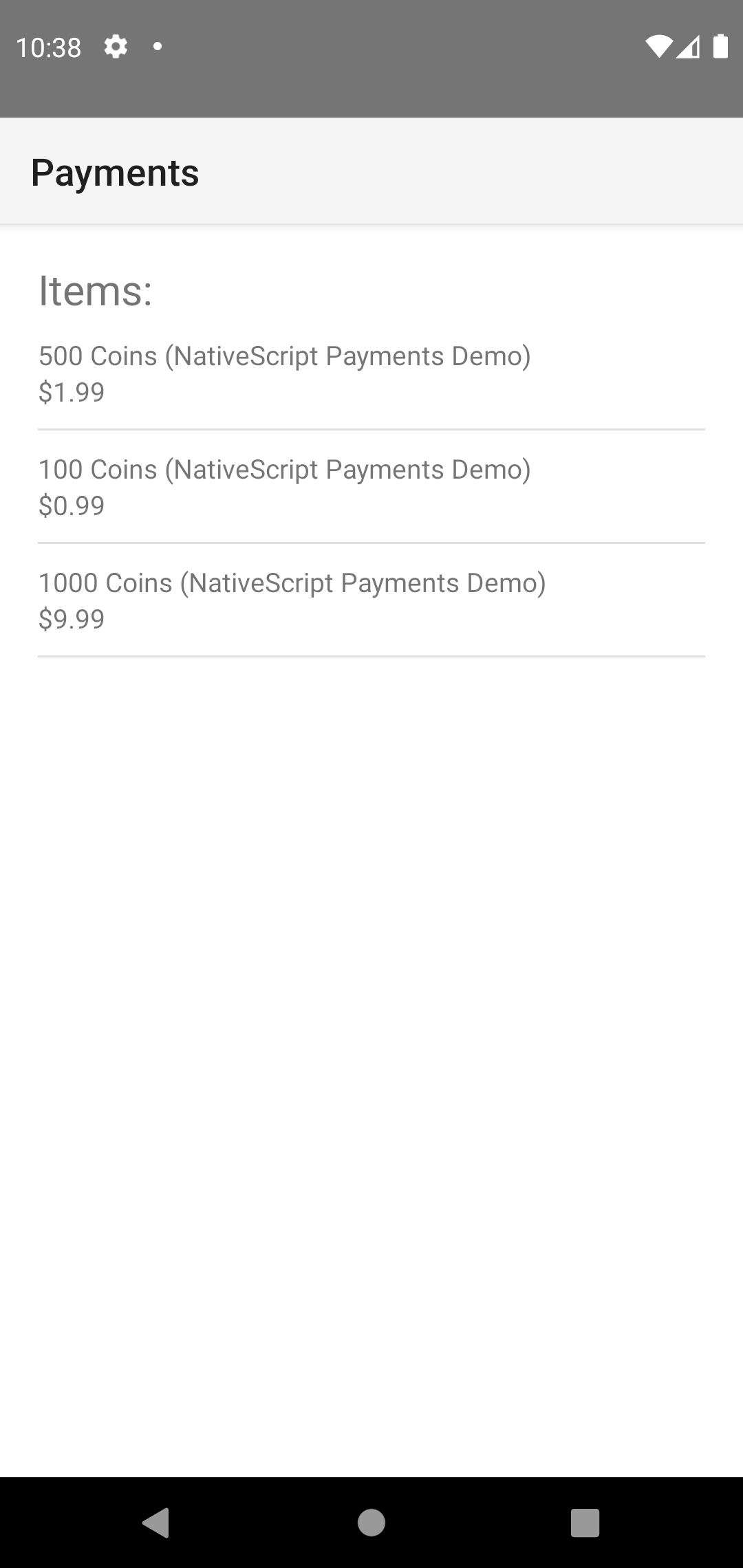 | 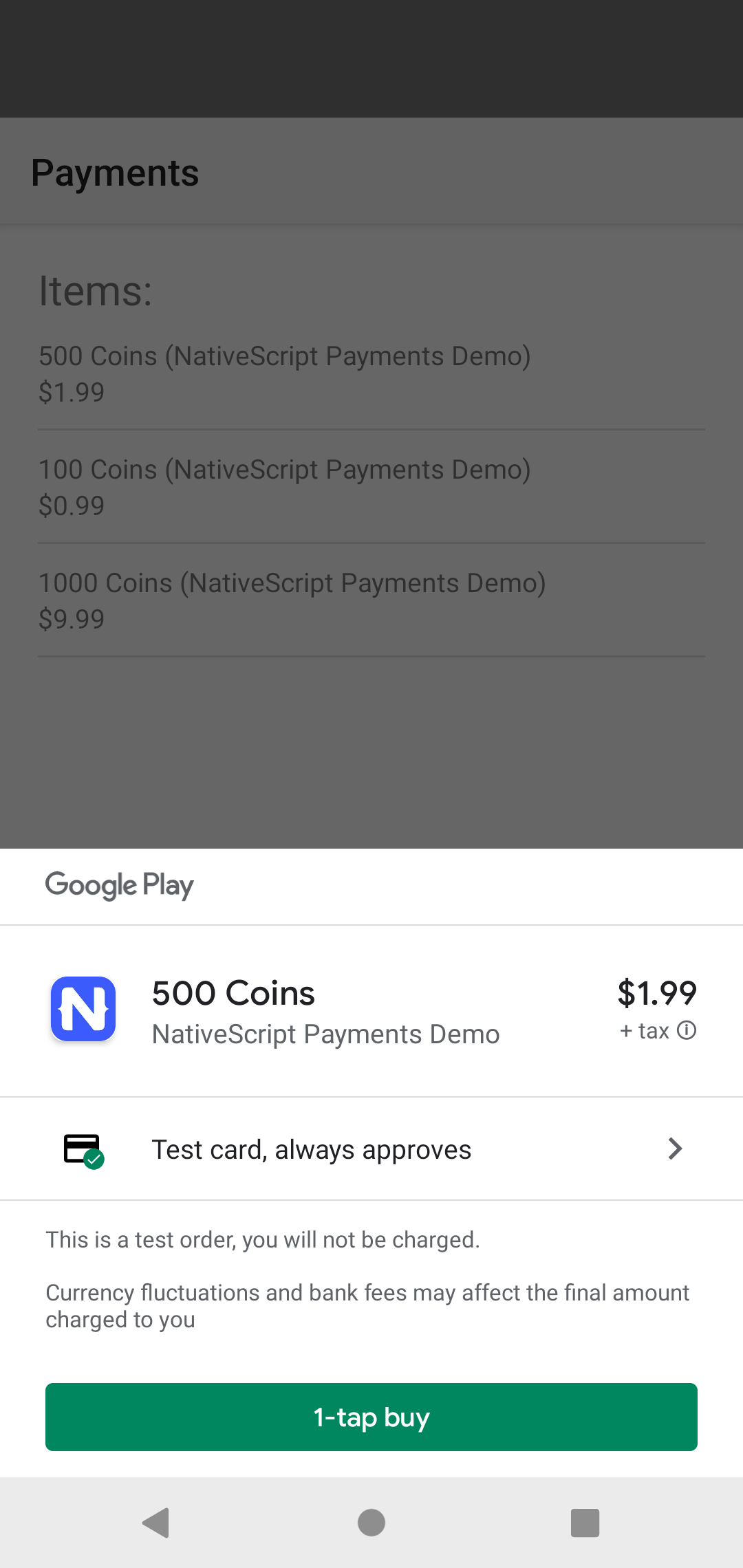 | 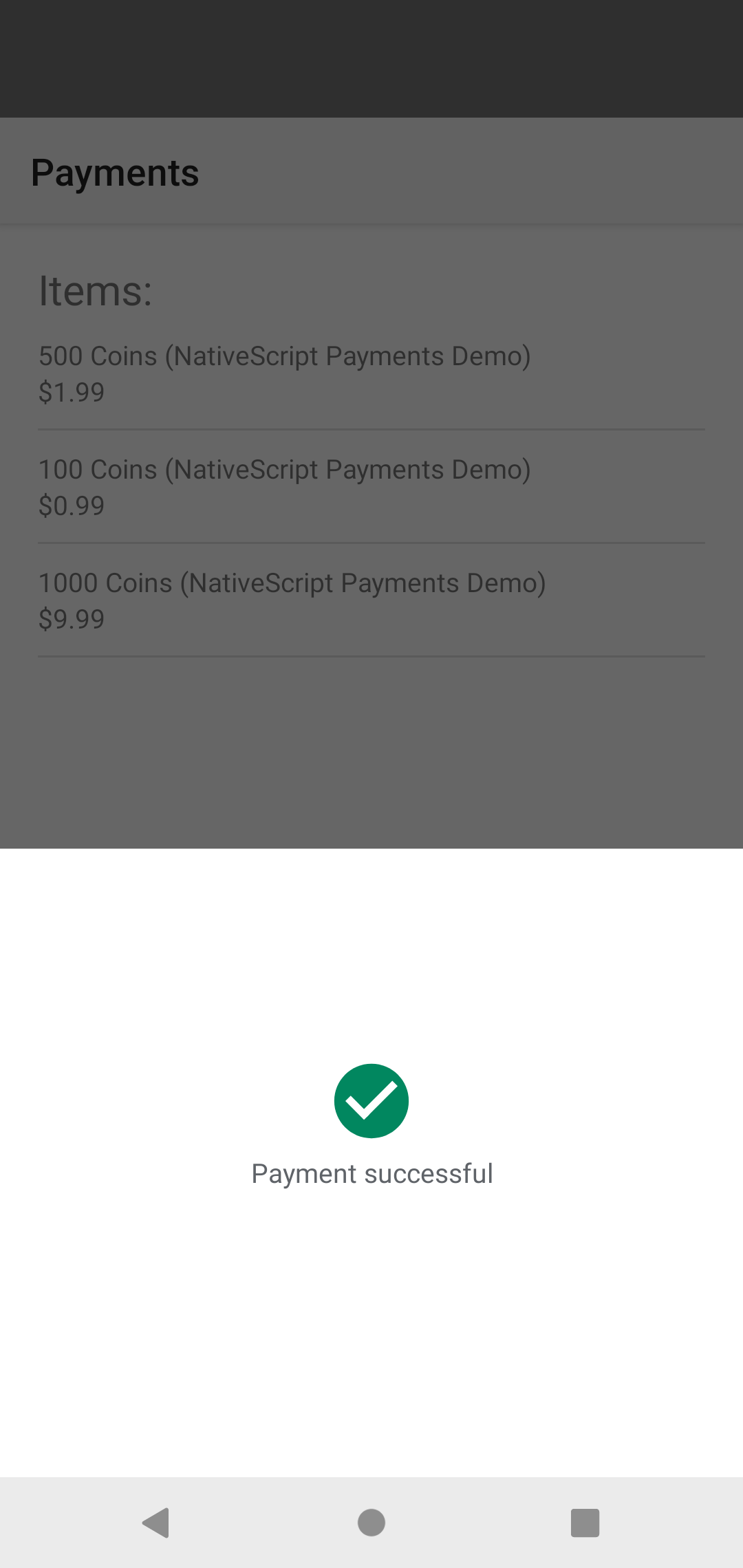 |
Contents
Installation
ns plugin add @nativescript/paymentsOn iOS the plugin uses StoreKit 2 on iOS 15 and later and falls back to StoreKit 1 on older versions. On Android it uses the Google Play Billing Library 8.0 (minSdk 21).
Prerequisites
iOS prerequisites
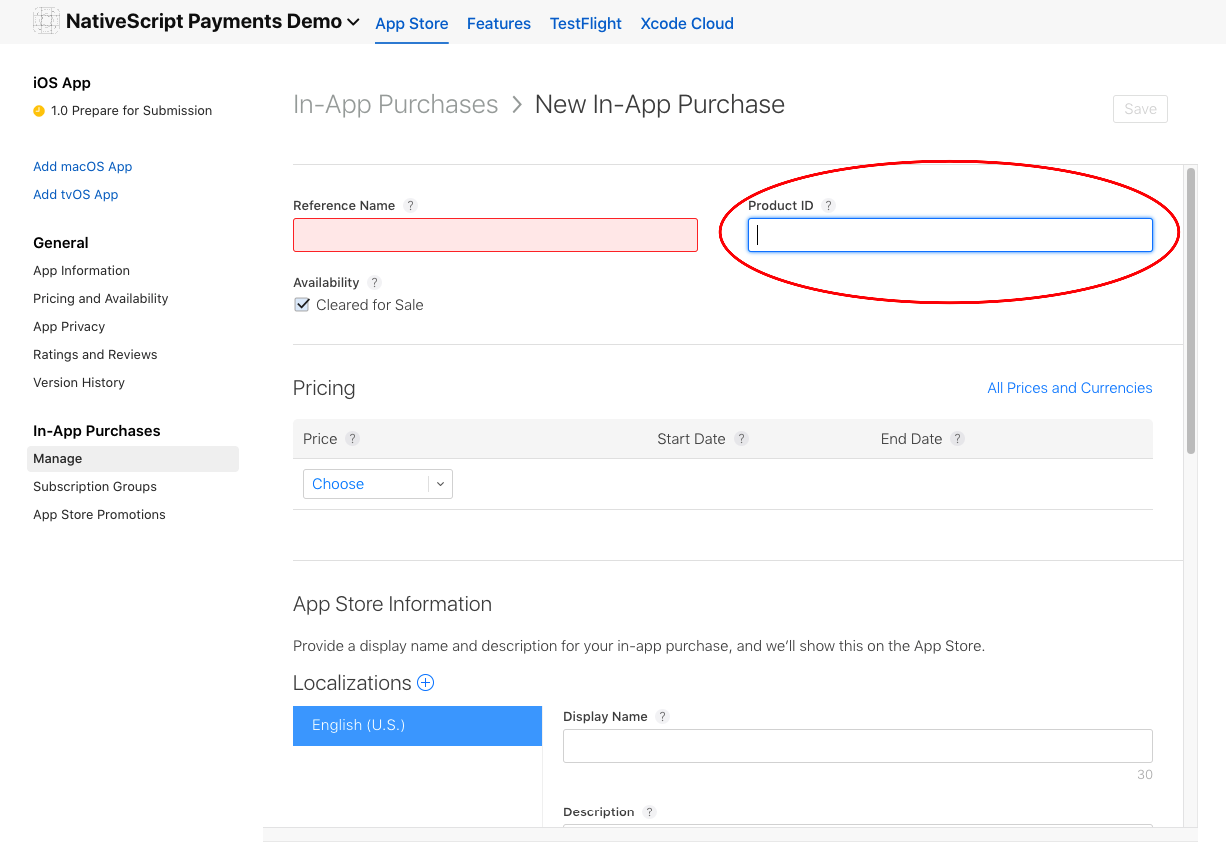
To offer in-app purchases in your iOS app, create the products for the app on App Store Connect.
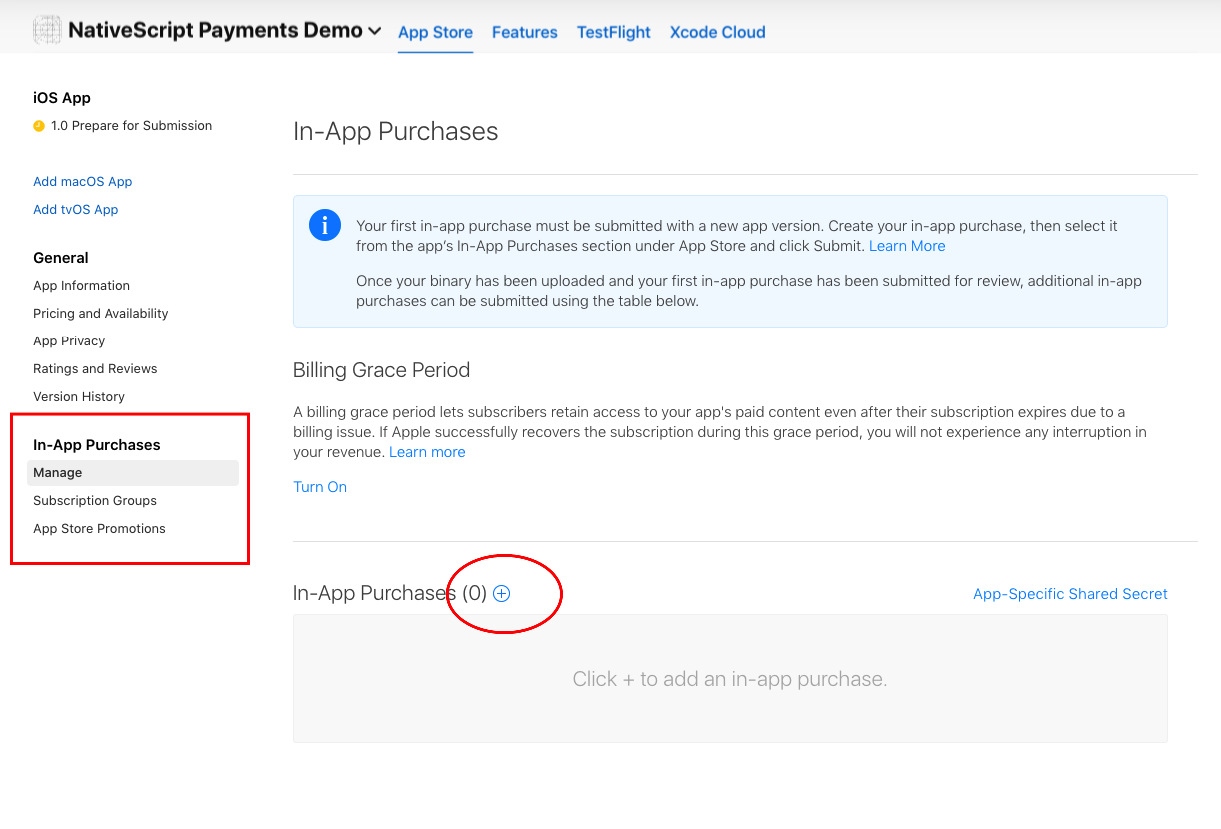
The Product ID you enter on the form is the value you pass to fetchProducts().
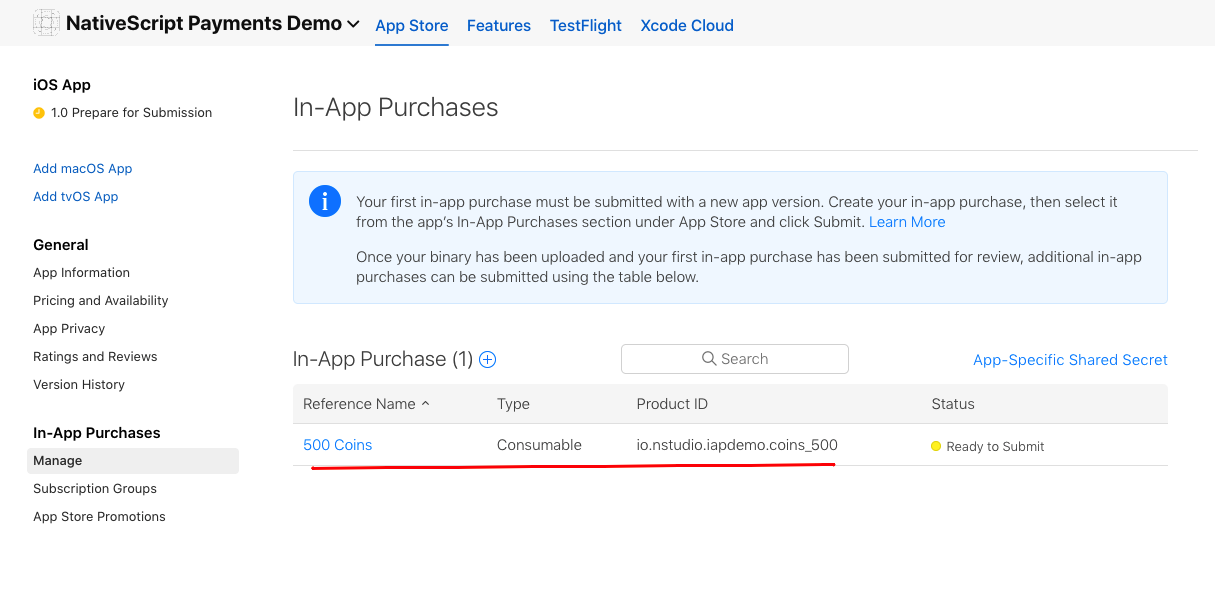
Once created, the products are listed for the app in App Store Connect.
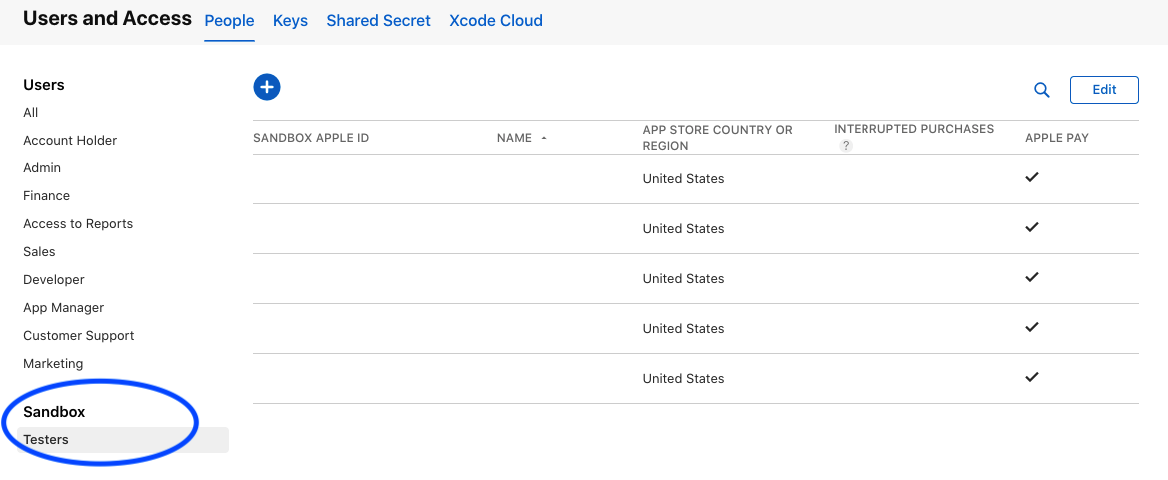
To test iOS purchases fully you need a real device and a sandbox test user on your App Store Connect account.
Android prerequisites
- Upload at least one APK or AAB to the Google Play Console.
- Create your in-app products or subscriptions in the console.
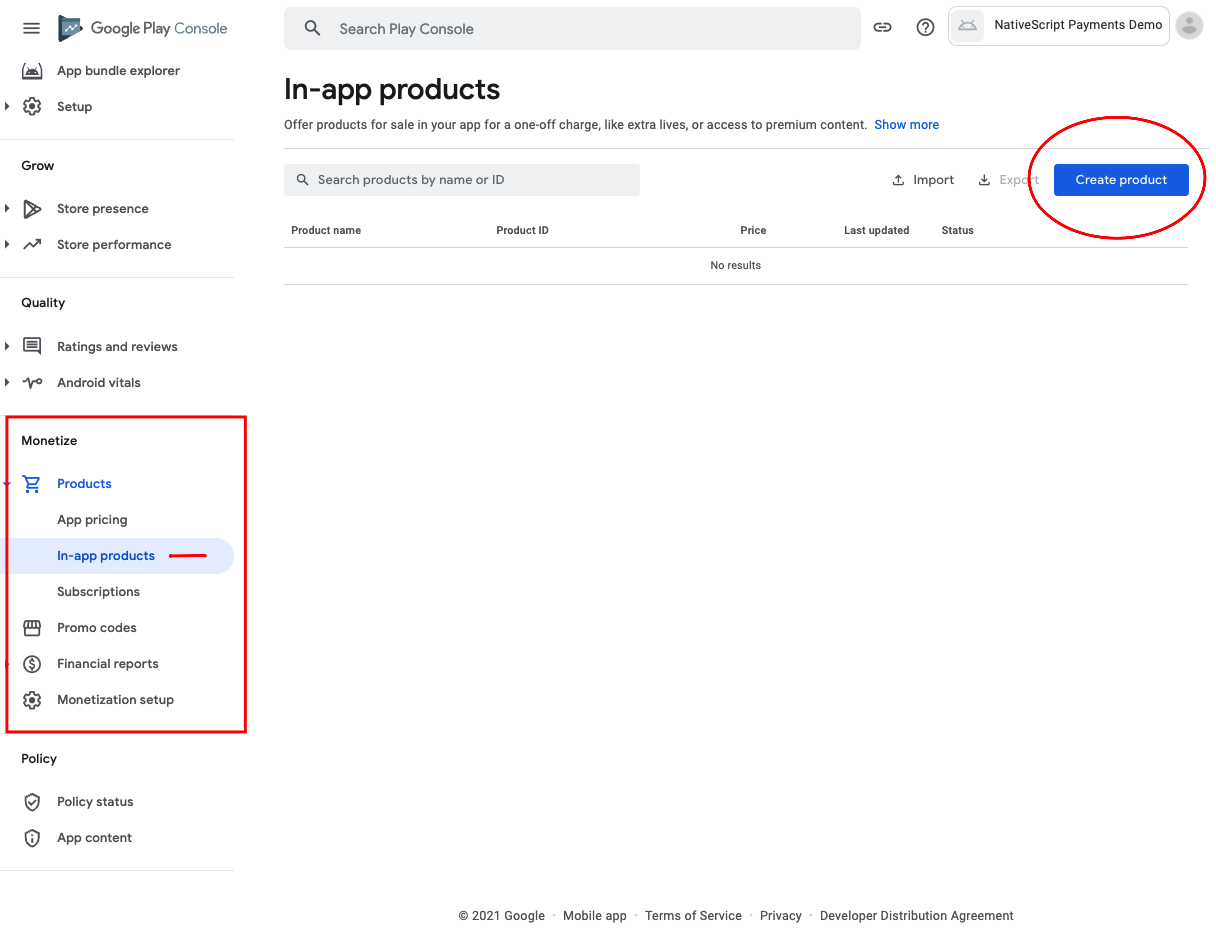
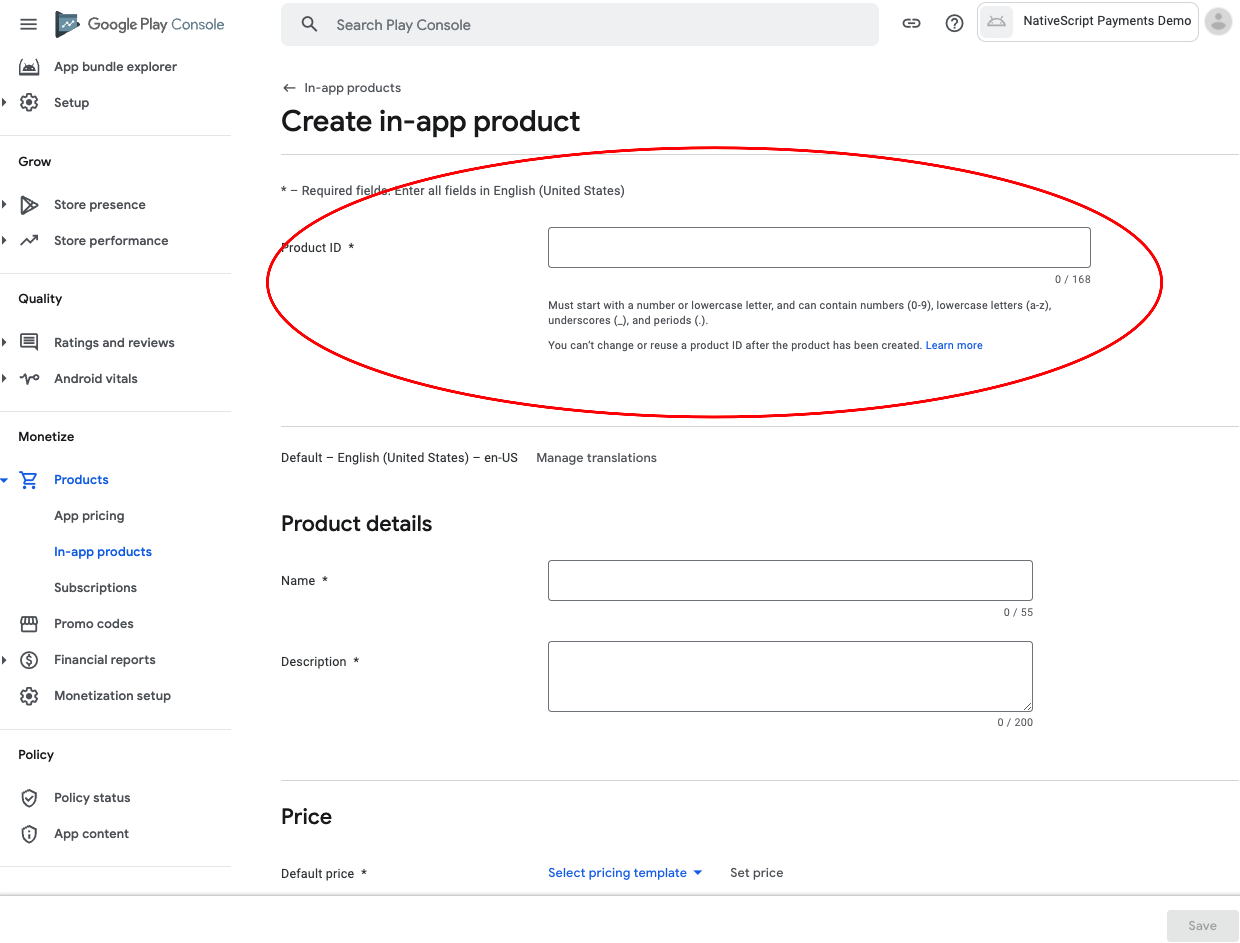
The Product ID you enter on the form is the value you pass to fetchProducts().
Important notes about Google products
Avoid numeric-only values in the product ID. Play appears to ignore such IDs when querying and returns a single product instead of every product requested.
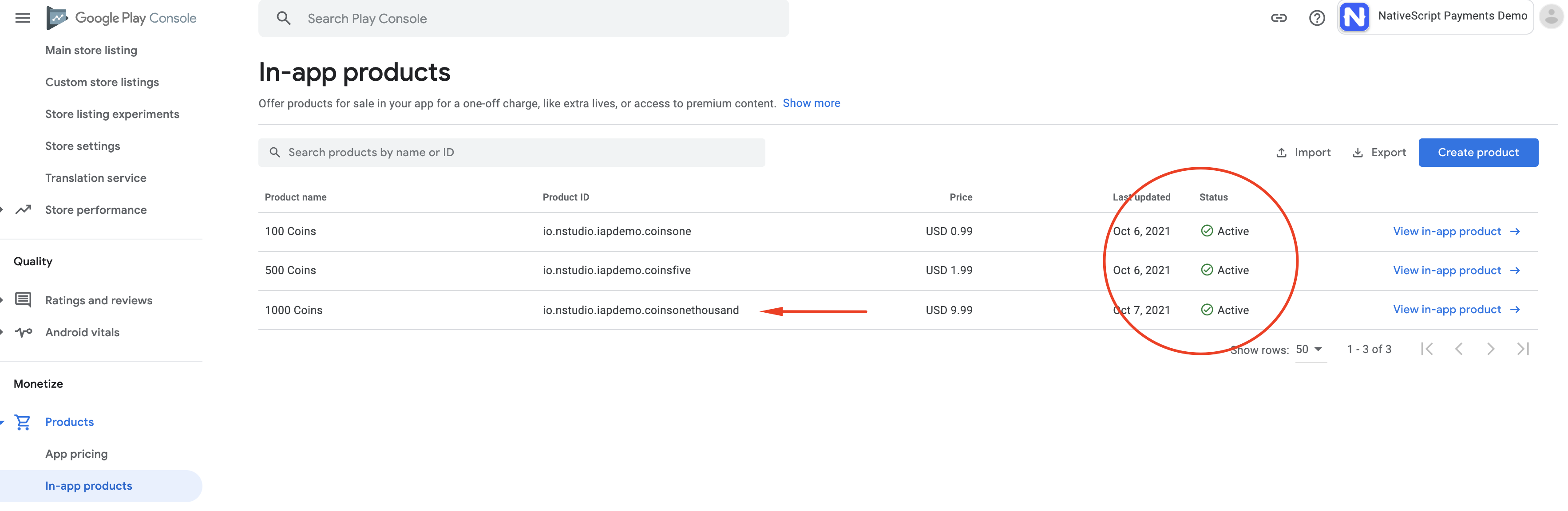
Products cannot be purchased until Google has reviewed the app. They still appear in the result of
fetchProducts(), with a title suffixed by "(in review)" or similar, but the purchase flow errors until the review completes.
To test Android purchases you need a real device with Google Play set up and signed in. Add license testers to the app so test purchases are not charged. See also Google's test purchases guide.
Usage
Quick start
Create one Payment instance, assign its two callbacks right after construction, and keep the instance alive for the life of the app. Everything else returns a promise.
import {
  Payment,
  PaymentError,
  Product,
  Transaction,
} from '@nativescript/payments'

const CONSUMABLE_IDS = ['io.myapp.coins.five', 'io.myapp.coins.fifty']
const NON_CONSUMABLE_IDS = ['io.myapp.remove_ads']

export class Store {
  products: Array<Product> = []
  private payment: Payment

  constructor() {
    if (!Payment.isSupported()) {
      console.log('In-app purchases are not available on this device')
      return
    }

    this.payment = new Payment()

    // Fires once the store connection is ready. Query products here.
    this.payment.onReady = async () => {
      try {
        this.products = await this.payment.fetchProducts(
          [...CONSUMABLE_IDS, ...NON_CONSUMABLE_IDS],
          'inapp',
        )
      } catch (error) {
        console.error('Could not fetch products', error)
      }
    }

    // Fires for every transaction the store reports: purchases started from your app,
    // purchases completed later (Ask to Buy, pending payments), renewals, and refunds.
    this.payment.onPurchaseUpdate = (transactions, error) => {
      if (error) {
        const paymentError = error as PaymentError
        if (paymentError.code !== 'USER_CANCELLED') {
          console.error(`Purchase failed: ${paymentError.message}`)
        }
        return
      }
      transactions.forEach((transaction) => this.handleTransaction(transaction))
    }
  }

  async buy(product: Product) {
    try {
      await this.payment.purchaseProduct(product)
    } catch (error) {
      // See "How a purchase flows" for what rejects on each platform.
      console.error(`Could not start purchase: ${error.message}`)
    }
  }

  private async handleTransaction(transaction: Transaction) {
    switch (transaction.state) {
      case 'purchased':
        if (transaction.isRevoked) {
          // Refunded. Revoke whatever the purchase unlocked.
          return
        }
        // 1. Verify the transaction on your backend (see Transaction.receiptToken).
        // 2. Grant the entitlement.
        // 3. Finish the transaction. Consume it if the user may buy it again.
        await transaction.finish({
          consume: CONSUMABLE_IDS.includes(transaction.productId),
        })
        break
      case 'pending':
        // Waiting on an external action such as Ask to Buy approval or a deferred payment.
        // Do not grant anything or finish it. Another update arrives when it completes.
        break
    }
  }
}
How a purchase flows
new Payment()opens the store connection. On Android this starts the Play Billing connection; on iOS it starts listening for StoreKit transaction updates.onReadyfires. CallfetchProducts()to load the products the user can buy.purchaseProduct(product)presents the platform purchase sheet.- The result arrives in
onPurchaseUpdate. Verify it, grant the entitlement, then calltransaction.finish().
The promise returned by purchaseProduct() settles at a different point on each platform, so put your success handling in onPurchaseUpdate, which behaves the same on both:
| Platform | Promise resolves | Promise rejects |
|---|---|---|
| iOS | After the purchase completed and StoreKit verified it. The transaction is also delivered to onPurchaseUpdate. | With a PaymentError when the user cancels (USER_CANCELLED), the purchase is pending approval such as Ask to Buy (DEFERRED_PAYMENT), or the purchase fails (ERROR). |
| Android | As soon as the Google Play purchase sheet is shown. The outcome, including cancellation, arrives in onPurchaseUpdate. | Only when the sheet could not be shown, for example when the payment was declined for insufficient funds or the user is ineligible for the offer. |
onPurchaseUpdate receives (transactions, error). When error is set, transactions is an empty array. On Android a cancelled purchase arrives here as an error with code USER_CANCELLED.
Finishing transactions
Every transaction in the purchased state must be finished after you grant the entitlement, or the store treats it as incomplete:
- On Android, Google refunds any purchase that is not acknowledged within three days.
finish()acknowledges it. - On iOS, an unfinished transaction is delivered to
onPurchaseUpdateagain on every launch until you finish it.
// Non-consumables and subscriptions: acknowledge and keep.
await transaction.finish()

// Consumables (coins, lives): consume so the user can buy the same product again.
await transaction.finish({ consume: true })
consume only has an effect on Android. iOS decides consumability from the product type configured in App Store Connect. On Android, auto-renewing subscriptions are acknowledged regardless of consume, and finishing an already-acknowledged transaction is a no-op.
To catch purchases that completed while your app was not running, call fetchPurchases() at startup on Android and finish anything whose isAcknowledged is false. iOS delivers those through onPurchaseUpdate on its own.
this.payment.onReady = async () => {
  const owned = await this.payment.fetchPurchases()
  for (const transaction of owned) {
    if (transaction.state === 'purchased' && !transaction.isAcknowledged) {
      await this.handleTransaction(transaction)
    }
  }
}
Subscriptions
Subscriptions use the same calls as one-time products. Fetch them with the 'subs' type and buy them with purchaseProduct().
const plans = await this.payment.fetchProducts(
  ['io.myapp.pro.monthly', 'io.myapp.pro.yearly'],
  'subs',
)

await this.payment.purchaseProduct(plans[0])
On Android the purchase uses the first offer listed in the product's subscription offer details, which is the base plan unless you have configured a promotional offer first. For other offers, work with the native ProductDetails through product.native.
Check the state of a subscription from a Transaction:
| Property | iOS | Android |
|---|---|---|
isExpired | expirationDate has passed | The subscription is no longer auto-renewing |
expirationDate | Set | Not available |
isAutoRenewing | Not available | Set |
isRevoked / revocationDate | Set when refunded | Not available |
For reliable entitlement checks, verify subscriptions on your backend with the App Store Server API and the Google Play Developer API.
Let users manage or cancel subscriptions with the system UI:
await this.payment.showSubscriptionsManagement()

// Optionally deep-link to one subscription.
await this.payment.showSubscriptionsManagement({
  ios: { subscriptionGroupID: '21345678' }, // iOS 17+
  android: { productId: 'io.myapp.pro.monthly' },
})
On iOS 15 and later this presents the manage subscriptions sheet; older versions open the App Store subscriptions page. On Android it opens the Google Play subscriptions page.
Restoring purchases
fetchPurchases() returns the transactions the user currently owns, including active subscriptions. On Android this is a local query of the Play cache for one-time products and subscriptions. On iOS 15 and later it calls AppStore.sync() before reading the current entitlements, which can prompt the user to sign in to the App Store, so Apple recommends triggering it from an explicit "Restore Purchases" action.
async restorePurchases() {
  const transactions = await this.payment.fetchPurchases();
  for (const transaction of transactions) {
    if (transaction.state === 'purchased' && !transaction.isExpired && !transaction.isRevoked) {
      // Grant the entitlement for transaction.productId
    }
  }
}
Purchase options
purchaseProduct() accepts an optional PurchaseOptions object:
await this.payment.purchaseProduct(product, {
  accountId: '4c2a9d84-2b6e-4f0a-9c1e-8a5f7b3d2e10',
  ios: {
    quantity: 1,
    simulatesAskToBuyInSandbox: true,
  },
  android: {
    profileId: 'profile-42',
    isOfferPersonalized: false,
  },
})| Option | Description |
|---|---|
accountId | Links the purchase to a user account on your side. On iOS it must be a UUID string and becomes the transaction's app account token. On Android it becomes the obfuscated account ID, so pass a hashed value, not a raw email or username. |
ios.quantity | Number of units to buy in one transaction. |
ios.simulatesAskToBuyInSandbox | Simulates the Ask to Buy flow in the sandbox so you can test pending transactions. |
ios.accountId | An NSUUID alternative to the top-level accountId. |
android.accountId | Obfuscated account ID. Overrides the top-level accountId on Android. |
android.profileId | Obfuscated profile ID for apps with multiple profiles per account. |
android.isOfferPersonalized | Set to true when the price is personalized to the user, as required by EU consumer law. |
Handling errors
Rejected promises and the error argument of onPurchaseUpdate are PaymentError instances:
try {
  await this.payment.purchaseProduct(product)
} catch (error) {
  const paymentError = error as PaymentError
  console.log(paymentError.code) // e.g. 'USER_CANCELLED'
  console.log(paymentError.message) // human-readable description
  console.log(paymentError.resolution) // suggested fix, when the store provides one
  console.log(paymentError.native) // the platform response object
}
code is one of the FailureTypes values: USER_CANCELLED, DEFERRED_PAYMENT, PURCHASE_NOT_ALLOWED, PRODUCT_UNAVAILABLE, PRODUCT_ALREADY_OWNED, PRODUCT_NOT_OWNED, DEVELOPER_USAGE, NETWORK_AVAILABILITY, BILLING_AVAILABILITY, SERVICE_DISCONNECTED, SERVICE_TIMEOUT, SERVICE_UNAVAILABLE, FEATURE_NOT_SUPPORTED, USER_INELIGIBLE, INSUFFICIENT_FUNDS, ERROR, or UNSPECIFIED.
Promoted in-app purchases (iOS)
When a user taps a product promoted on your App Store page, iOS launches your app and the plugin calls onIncomingPromotion with the product. Continue the purchase when your app is ready, for example after the user has signed in:
this.payment.onIncomingPromotion = (product) => {
  this.payment.purchaseProduct(product)
}
This callback is never called on Android.
Connection lifecycle
- Create a single
Paymentinstance and keep it for the life of the app. On Android it owns the Play Billing connection; on iOS it owns the StoreKit transaction listener. Creating a new instance per page means missing transaction updates. - The store connection starts in the constructor. You do not need to call
connect()afternew Payment(). disconnect()closes the Play Billing connection on Android, andconnect()reopens it. Both are no-ops on iOS.canMakePayments()returnstrueon Android once the Play Billing connection is ready, and on iOS when the device allows purchases (for example, not blocked by Screen Time restrictions).Payment.isSupported()is a static check you can run before constructing: on iOS it reports whether the device can make payments; on Android it reports whether the Google Play Store app is installed.
Migrating from 3.x
Version 4 removed RxJS. Every paymentEvents context maps to a promise or callback on a Payment instance:
| 3.x | 4.x |
|---|---|
init() | const payment = new Payment() |
paymentEvents.connect() and paymentEvents.pipe(toMainThread()).subscribe(...) | payment.onReady = ... and payment.onPurchaseUpdate = ... |
toMainThread() | Removed. |
PaymentEvent.Context.CONNECTING_STORE | payment.onReady |
fetchItems(ids) then PaymentEvent.Context.RETRIEVING_ITEMS | await payment.fetchProducts(ids, 'inapp') |
fetchSubscriptions(ids) then RETRIEVING_ITEMS | await payment.fetchProducts(ids, 'subs') |
buyItem(item, options) and startSubscription(item, options) | await payment.purchaseProduct(product, options) |
PaymentEvent.Context.PROCESSING_ORDER | payment.onPurchaseUpdate = (transactions, error) => ... |
finalizeOrder(order, consume) then FINALIZING_ORDER | await transaction.finish({ consume }) |
restoreOrders() then RESTORING_ORDERS | await payment.fetchPurchases() |
canMakePayments() | payment.canMakePayments() |
tearDown() | payment.disconnect() |
Item | Product. itemId is now id, localizedDescription is description, priceAmount is priceAmountMicros. |
Order | Transaction. itemId is now productId, acknowledged is isAcknowledged, dataSignature is signature, state is 'purchased', 'pending' or 'unknown' instead of VALID, PROVISIONAL or INVALID. |
Failure | PaymentError. type is now code, description is message, nativeCode is native. |
BuyItemOptions.accountUserName | PurchaseOptions.accountId |
BuyItemOptions.android.vrPurchase | Removed |
Before:
import {
  buyItem,
  fetchItems,
  finalizeOrder,
  init,
  PaymentEvent,
  paymentEvents,
  toMainThread,
} from '@nativescript/payments'

paymentEvents.connect()
paymentEvents.pipe(toMainThread()).subscribe((event: PaymentEvent.Type) => {
  switch (event.context) {
    case PaymentEvent.Context.CONNECTING_STORE:
      if (event.result === PaymentEvent.Result.SUCCESS) {
        fetchItems(['io.myapp.coins.five'])
      }
      break
    case PaymentEvent.Context.RETRIEVING_ITEMS:
      if (event.result === PaymentEvent.Result.SUCCESS) {
        this.items = event.payload
      }
      break
    case PaymentEvent.Context.PROCESSING_ORDER:
      if (event.result === PaymentEvent.Result.SUCCESS) {
        finalizeOrder(event.payload, true)
      }
      break
  }
})
init()

buyItem(this.items[0])
After:
import { Payment } from '@nativescript/payments'

const payment = new Payment()
payment.onReady = async () => {
  this.items = await payment.fetchProducts(['io.myapp.coins.five'], 'inapp')
}
payment.onPurchaseUpdate = (transactions, error) => {
  if (error) {
    return
  }
  transactions.forEach((transaction) => {
    if (transaction.state === 'purchased') {
      transaction.finish({ consume: true })
    }
  })
}

payment.purchaseProduct(this.items[0])
API
Payment
| Member | Description |
|---|---|
static isSupported(): boolean | Whether the device can make in-app purchases at all. iOS: the device allows payments. Android: the Google Play Store app is installed. |
new Payment() | Creates the instance and opens the store connection. |
onReady?: () => void | Called once the store connection is ready. Assign it immediately after construction. |
onPurchaseUpdate?: (transactions: Transaction[], error: Error | null) => void | Called for every transaction update: new purchases, purchases completed outside the app, renewals and refunds. On failure error is a PaymentError and transactions is empty. |
onIncomingPromotion?: (product: Product) => void | iOS only. Called when the user starts a purchase from a promoted product on the App Store. Call purchaseProduct(product) to continue it. |
fetchProducts(ids: string[], type: 'inapp' | 'subs'): Promise<Product[]> | Loads product details from the store. IDs the store does not know are left out of the result. Android only returns products of the requested type; iOS returns whatever matches the IDs. |
purchaseProduct(product: Product, options?: PurchaseOptions): Promise<void> | Starts the purchase flow. See How a purchase flows for when the promise settles on each platform. |
fetchPurchases(): Promise<Transaction[]> | Returns the transactions the user currently owns. See Restoring purchases. |
canMakePayments(): boolean | Android: the Play Billing connection is ready. iOS: same as isSupported(). |
connect(): void | Android: reopens the Play Billing connection after disconnect(). iOS: no-op. |
disconnect(): void | Android: closes the Play Billing connection. iOS: no-op. |
showSubscriptionsManagement(options?): Promise<void> | Opens the platform subscription management UI. Options: ios.subscriptionGroupID (iOS 17+), android.productId and android.packageName (defaults to the app's own). |
forceStoreV1Receipt: boolean | iOS only. When true, Transaction.receiptToken holds the base64 app receipt used by the legacy verifyReceipt endpoint instead of the StoreKit 2 transaction. |
Product
| Property | Description |
|---|---|
id: string | The product ID configured in the store. |
name: string | Product name. On Android this is the name without the app name suffix. |
title: string | Product title. On Android this includes the app name in parentheses. |
localizedTitle: string | Localized title. Same as title on iOS. |
description: string | Product description. |
type: 'inapp' | 'subs' | 'unknown' | One-time product or subscription. |
priceFormatted: string | null | Price formatted for the user's locale, for example $0.99. |
priceAmountMicros: number | null | Price in micro-units of the currency, where 1,000,000 equals one unit. |
native | The underlying ProductDetails (Android) or NSCPaymentsProduct (iOS). |
Transaction
| Member | Description |
|---|---|
productId: string | ID of the purchased product. |
orderId: string | Store transaction identifier. Use it with the App Store Server API on iOS. |
orderDate: Date | When the purchase was made. |
state: 'purchased' | 'pending' | 'unknown' | pending means the purchase is waiting on an external action (Ask to Buy, deferred payment). unknown on iOS means the transaction was revoked. |
receiptToken: string | Android: the purchase token to verify with the Google Play Developer API. iOS: the StoreKit 2 transaction as JSON, or the base64 app receipt when forceStoreV1Receipt is set or on iOS 14 and earlier. |
signature: string | Android only. Signature of the purchase data. Empty on iOS. |
quantity: number | Units purchased. Always 1 on iOS. |
type: 'inapp' | 'subs' | 'unknown' | One-time product or subscription. |
isAcknowledged: boolean | Whether finish() has completed for this transaction. |
isAutoRenewing: boolean | Android only. Whether the subscription will renew. |
isExpired: boolean | See Subscriptions. |
expirationDate: Date | iOS only. When the subscription expires. |
isRevoked: boolean | iOS only. The purchase was refunded. |
revocationDate: Date | iOS only. When the purchase was refunded. |
version: 'v1' | 'v2' | undefined | iOS only. Which StoreKit version produced the transaction. |
finish(options?: { consume?: boolean }): Promise<void> | Completes the transaction. See Finishing transactions. |
native | The underlying Purchase wrapper (Android) or NSCPaymentsTransaction (iOS). |
PaymentError
Extends Error.
| Property | Description |
|---|---|
code: FailureTypes | Machine-readable failure type. See Handling errors. |
message: string | Human-readable description. |
resolution: string | Suggested resolution from the store, or an empty string. |
native | The platform response object. |
PurchaseOptions
interface PurchaseOptions {
  accountId?: string
  ios?: {
    quantity?: number
    simulatesAskToBuyInSandbox?: boolean
    accountId?: NSUUID
  }
  android?: {
    accountId?: string
    profileId?: string
    isOfferPersonalized?: boolean
  }
}
See Purchase options for what each field does.
License
Apache License Version 2.0
- Previous
- Google Pay
- Next
- Core
Contributors
